Where Did That Laptop Go? The Hidden Costs of Spreadsheet Asset Tracking
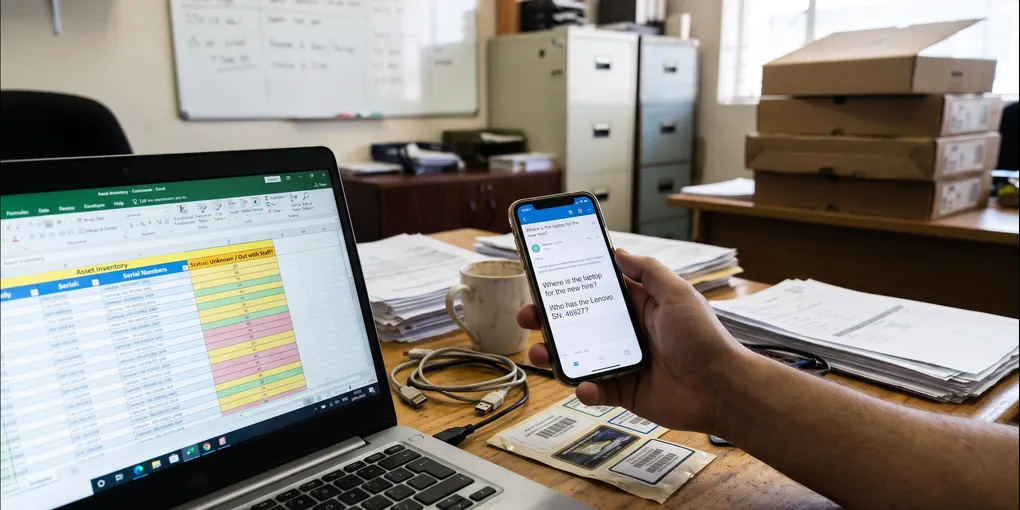
If you manage operations, IT, or HR for a growing South African business, there is a good chance your company’s entire hardware inventory is managed by a single document: Assets_FINAL_v3_updated.xlsx.
It usually starts innocently enough. When a company has ten employees, listing serial numbers, laptop models, and assigned names in a spreadsheet is quick, cheap, and effective. But as your team scales to 30, 50, or 100 people, especially with remote, hybrid, or site-based employees spread across different provinces, that humble spreadsheet quietly transforms into a massive operational vulnerability.
At some point, every growing business experiences the dreaded audit moment: looking at a line item for a R25,000 MacBook or specialized industrial tablet and realizing nobody actually knows who has it, where it is, or whether it was ever recovered when someone left the company.
Spreadsheet asset tracking feels free, but its hidden costs are staggering.
1. The Offboarding Friction: Equipment Lost in the Noise
The true test of any asset tracking setup isn’t when an employee joins; it’s when they leave.
In a fast-paced environment, employee offboarding is inherently hectic. HR is processing final pay, line managers are reassigning active projects, and IT is revoking system access. When hardware tracking relies on a manually updated spreadsheet:
- Updates are easily forgotten: A busy manager collects a departing employee’s laptop and places it in a lockable cabinet, intending to log it later. “Later” never happens.
- Serial number mix-ups: When equipment gets swapped or upgraded during an employee’s tenure without updating the central sheet, the master record becomes completely out of sync with reality.
- The “Ghost Asset” phenomenon: Laptops, monitors, dual SIM cards, and high-value accessories vanish into thin air. By the time someone notices six months later, the former employee is long gone, and the company quietly writes off thousands of Rands in unrecovered equipment.
2. Version Control & The Silo Trap
Who was the last person to edit the spreadsheet? Was it saved locally on someone’s desktop? Did someone accidentally overwrite the serial numbers when sorting column C?
When asset management relies on static files:
- Zero Accountability: Spreadsheets don’t record who updated a row, why a status was changed, or who authorized a hardware swap.
- Data Discrepancies: HR has one list of active devices, IT keeps a separate inventory of spare units, and Finance relies on a depreciation schedule that bears no resemblance to the actual physical assets in circulation.
- Manual Data Entry Errors: A single misplaced digit in a serial number can render a device impossible to verify during internal audits or insurance claims.
3. The Unseen Financial Loss: Double-Buying & Insurance Headaches
The financial drain of spreadsheet chaos isn’t just about stolen or unreturned laptops, it manifests across your operational budget:
Phantom Purchases
When a new team member starts, and no one can verify if there is a spare, fully functional laptop sitting in storage, the path of least resistance is buying a new one. Companies regularly spend tens of thousands of Rands purchasing hardware they already own simply because their spreadsheet inventory is inaccurate.
Insurance Claim Rejections
When an employee suffers a break-in or loses a company-issued device while traveling, your insurer will require precise documentation: purchase invoices, exact serial numbers, model details, and verified proof of assignment. Trying to piece together an insurance claim from a messy spreadsheet often leads to delayed payouts or outright rejections.
Moving from Static Spreadsheets to Centralized Asset Lifecycle Management
Fixing hardware chaos doesn’t require complex enterprise software that takes months to configure and thousands of Rands in consulting fees to maintain.
Here is how South African SMBs can streamline hardware lifecycle management:
- Link Assets Directly to Employee Profiles: Rather than keeping hardware in a standalone list, bind every asset directly to the employee’s active digital profile. When an employee profile is flagged for offboarding, their assigned assets automatically generate a clear collection checklist.
- Establish Digital Sign-Offs: Require employees to digitally acknowledge receipt of specific hardware, including serial numbers and condition notes, right when they receive it. This creates immediate transparency and mutual accountability.
- Maintain a Single Source of Truth: Centralize your inventory so HR, IT, and Finance view the exact same real-time status: assigned, available in storage, out for repair, or retired.
Stop Writing Off Missing Hardware
Laptops, tablets, and specialized equipment are core tools that enable your team to work, but they represent significant capital. Relying on static spreadsheets to track them is an expensive habit disguised as a low-cost solution.
Centralizing your hardware tracking protects your bottom line, eliminates offboarding friction, and ensures you never have to ask “Where did that laptop go?” again.